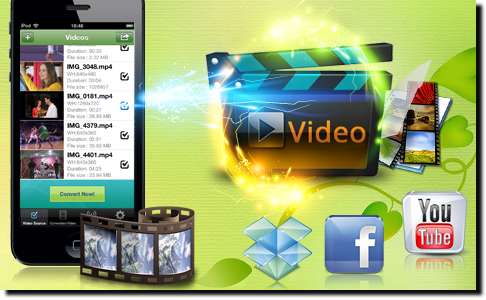
Video Converter iOS App
Wi-Fi upload video files from computer to iPhone and iPad to convert and play. Import video from Dropbox and SkyDrive for conversion. Compress video clips filmed with iPhone and iPad.
iOS
Mac
WindowsVideo Convert App helps you easily and quickly convert any video files stored in your PC. You first transfer video files to your iPad/iPhone/iPod touch via Wi-Fi or iTunes File Sharing. Then you can choose to convert them to iPad/iPhone/iPod compatible video files for directly viewing on your devices or for further editing in popular iOS Apps like iMovie.
Video Converter App also allows you to import video files from Dropbox and Microsoft SkyDrive to convert and play. You can also load video clips from iPhone/iPad/iPod touch Camera Roll into the conversion queue.

With Video Converter App, you can put video files in a variety of formats such as AVI, WMV, MOV, MP4, 3GP, M4V, QT, RM, RMVB, FLV, MKV onto your iPad, iPhone or iPod device. It also supports transferring video files like AVCHD MTS/M2TS captured with HD camcorders such as Sony, Nikon and Panasonic.
Video Converter App lets you convert the iTunes-, iPad-, iPod-, and iPhone-incompatible video files so that you can enjoy them on your device on the go. The converted video files will be saved to your Photo Library and thus easily accessible by popular video editor apps such as iMovie and Pinnacle Studio.
Video Converter App enables you to extract audio from video as M4A or MP3 files as well. You can transfer video files from computer, download video files from Dropbox and SkyDrive, and import video clips from Camera Roll for converting to M4A/MP3 audio. The output audio files can be wirelessly transferred to your computer via a web browser and even opened in other apps in your iPhone/iPad.
You can transfer video files from your computer (Windows/Mac) via WiFi Upload or iTunes File Sharing. Besides, you can download movie files from Dropbox and SkyDrive, import videos from Camera Roll, and even load video from other apps.
Video Converter App supports a variety of video formats such as AVI, WMV, MOV, MP4, MPG, 3GP, FLV, VOB, MKV, etc. Video clips recorded with Sony/Panasonic/Canon/Nikon HD camcorders, like AVCHD MTS/M2TS, can be accepted as well.
Video Converter App lets you convert video to MOV or MP4 format and extract audio from video as M4A or MP3 files (In-App Purchase). The video conversion is directly done in iPad/iPhone/iPod touch devices. You can also customize output video size, video quality, etc.
You can convert iTunes-, iPad-, iPod-, and iPhone-incompatible video files for viewing on iPad, iPhone and iPod touch directly. You can also compress video clips (1080p) filmed with iPhone 5/4S, iPad 4/3, iPad mini, etc. to save device storage.
You can choose to copy the output video to Photo Library, Wi-Fi Transfer the output video to computer via a web browser, and even open the output video in other apps like the notable iMovie (for further editing).
Video Converter App is compatible with iOS 5.0 or above. It works with iPhone 5, iPhone 4S, iPhone 4, iPhone 3GS, iPad, iPad mini and iPod touch 5/4/3.
This app works well. I had to download Dropbox, but that was not a problem. I have not had any issues, I am very happy I bought it, just what I needed.
- Lou2you
I did not had any problem with it, sometimes people are looking for more options and they get upset, I understand them. Now, if you are looking for a converter, you will probably be happy with it, and again it's not such a huge investment, so why not taking the risk? The app is solid! It works!
- Ovovovov
This app really does this chore, and does it well. Easy to use. Gets your Sony camcorder mts files into your camera roll in the correct format for iMovie. It really works. I'm glad I bought it!
- Outlaw704
The application converted my AVCHD files without any issues. Easy to use and many options to obtain and convert the files.
- go 1.1.4
I've converted 5 .flv files so far with zero problems, 3 using Open In function & 2 using iTunes WiFi. Great App so far, worth the $$$.
- B.U.E.N.O Music
I had almost given up on looking for a way to get .VOB files into iMovie for editing. Then I found this, and it's fast and easy and works like a charm. Strongly recommended.
- Nicknames ugh.
Video Converter App for Mac enables you to convert video files to a variety of formats, including iTunes-, iPad-, iPod-, and iPhone-compatible MP4, AVI, FLV, MOV, 3GP, and extract audio from video files in MP3, M4A, AAC or WAV format. With this Video Converter Mac App, you can also convert AVCHD video (MTS/M2TS) captured with HD camcorders without lossy quality and download and convert videos from YouTube with ease and speed.
Video Converter App for Mac is fully compatible with Intel based Mac OS X 10.5 Leopard, 10.6 Snow Leopard, 10.7 Lion and 10.8 Mountain Lion.
Download Video Converter App from Mac App Store:

Simply add your movie files to the software and all your videos will be converted to iTunes library. You just need to sync to your mobile devices and play.
Actually you don't need to care about what format your movie is. Video Converter will analyze the video file and do the conversion exactly for your mobile devices.
Add as many files as you like to the conversion list and convert to mobile devices with one click.
Simply choose your mobile model and Video Converter will pickup the most suitable optimized settings and guarantee a super playback quality on your mobile devices.
Trim video file to get video or audio clips and just convert certain segment you need.
Allow you to extract audio from video files in various audio formats: MP3, MP2, OGG, WAV, M4A, AAC or AMR.
Customize the video and audio parameters such as video bit-rate, size, frame size, audio bit-rate, sample rate, etc. and save it as an output profile for further use.
A combination of Video Converter and YouTube Video Downloader
Software Overview:
Video Converter App for Windows is a powerful but simple software that can help you convert all popular video formats to videos that you need to play on iPod, iPhone, iPad, PSP, PS3, Zune, BlackBerry, etc. Besides it can convert vides to audios in MP2, MP3, OGG, WAV, WMA, M4A, AAC.
In addition to converting function, it can be used to download videos from YouTube to MP4, 3GP, FLV and HD MP4 videos formt. After downloading is finished, you can convert videos to any video formats for playing on different devices.

Key features of Video Converter App for Windows
1. Powerful Video Converter
Supported input video formats: MOV, WMV, FLV, MPEG-4, MPG, RM, RMVB, AVI, VOB, ASF, DV, 3GP, M1V and M2V. Supported output video formats : AVI, XviD, DivX, MP4, HD MPEG-4, MPG, MOV, 3GP, WMV, FLV, SWF.
2. Video to Audio Converter
Extract MP2, MP3, OGG, WAV, WMA, M4A, AAC audio files from videos.
3. YouTube Video Downloader and Converter
Video Converter App for Windows is not only a simple video converter, but a YouTube Downloader which can help download videos from YouTube and convert videos to the format you need.
4. Trim Videos to video and Audio Segments
With it , you can trim a video to several short vidoe clips or audio files.
5. Customize parameters for specified output videos/audio
According to your needs, you can set the video codec, size, bitrate, framerate etc or Audio codec, size and sample rate.
3 simple steps to convert videos
Step 1. Import videos to the software
Click "Add Video" to import videos that you need to convert to the software.You can add and convert more than 1 videos at a time.
Step 2. Choose output fomats
Click "Profile" drop-down list, and choose the video or audio format you want to output.You can directly choose a format(such as MP4, AVI,FLV), or a format in accordance with a specified device(Like iPhone, Blackberry video formats). After choosing a video format, you can set the size, codec and other parameters.

Step 3. Start to encode and convert videos
After choosing output format, click "Start Encode" in the right bottom of the screen. Then you can see a process bar in the status column of each video.
After all videos are finished being converted, click the "Folder" icon on the top of the screen to get your videos.